
Table of Contents
- Best No Code Website Builders for Beginners at a Glance
- How We Tested and Chose These No Code Website Builders
- Builderall: Best All-in-One No Code Marketing Suite
- Squarespace: Best for Design-Focused Beginners
- Webflow: Best for Beginners Who Want Room to Grow
- Hostinger Website Builder: Best Budget Pick With Hosting
- SITE123: Best for Absolute Beginners Who Need Speed
- How to Build a Website Without Coding: 5 Simple Steps
- Step 1: Register a Domain and Set Up Hosting
- Step 2: Choose a Template That Matches Your Goal
- Step 3: Customize Your Pages With a Drag-and-Drop Editor
- Step 4: Connect Your Marketing Tools and Set Up SEO Basics
- Step 5: Preview on Mobile, Test Forms, and Publish
- Post-Launch Maintenance: What Happens After You Publish
- Frequently Asked Questions
Last Updated: September 8, 2026
By 2026, 70% of new startups will launch using no-code platforms, making a no code website builder a standard path forward (Veza Digital, 2026).
Best No Code Website Builders for Beginners at a Glance
Quick Picks:
- Best All-in-One: Builderall, combines site building with email, funnels, and automation
- Best for Design: Squarespace, award-winning templates for visual impact
- Best for Scaling: Webflow, professional control with a steeper learning curve
- Best Budget: Hostinger Website Builder, hosting included at a low entry price
- Fastest Setup: SITE123, a functional site in under an hour

Choosing the right platform comes down to one question: do you need a website, or a business system? If you plan to capture leads, run email sequences, and sell courses or services, you need a platform that connects those pieces without third-party subscriptions.
| Platform | Starting Price | Free Tier | Best For | Key Limitation |
|---|---|---|---|---|
| Builderall | See site | No | Marketing and automation | Feature-rich, requires setup time |
| Squarespace | $16/month | No | Design-focused creatives | Less flexible editor |
| Webflow | $14/month | Yes | Future web designers | Steep learning curve |
| Hostinger | $2.69/month | No | Budget-conscious beginners | Limited customization |
| SITE123 | $12.80/month | Yes | Absolute beginners | Minimal design control |
How We Tested and Chose These No Code Website Builders
We ran each platform through a standardized, five-part evaluation simulating a beginner’s first 30 days to measure the gap between marketing claims and the actual launch experience.
Our Five Test Criteria
- Time to First Publish: We timed how long it took to publish a functional one-page site from a blank account, without AI tools or import wizards, to test the raw editor experience.
- Visual Editor Fluency: We tracked clicks for common tasks like changing a font globally and adjusting mobile padding. A platform that buries these actions in menus fails beginners.
- Mobile Responsiveness Default: We loaded every test page on a 375px-wide viewport and checked for horizontal scroll, overlapping text, and small tap targets, noting whether fixes were automatic or manual.
- Built-in Marketing Tool Depth: We checked whether email capture, SEO metadata, and analytics were native and functional at the entry-level price tier or locked behind upgrades.
- Cost of Scaling: We calculated the monthly price to add a custom domain, remove branding, and connect a payment processor, revealing the true cost of a ‘starter’ plan.
Performance Benchmarks: What We Actually Measured
We also ran a performance check on a standard test page using each platform’s default template, measuring Core Web Vitals on mobile via PageSpeed Insights.
A consistent pattern emerged: platforms that aggressively optimize template code, such as Webflow and Squarespace, scored in the green range for Largest Contentful Paint (under 2.5 seconds), while heavier frameworks sometimes exceeded 4.0 seconds on mobile (web.dev).
We did not rank by these scores alone, since your images and fonts will change the outcome, but used them to filter out platforms requiring significant manual optimization.
The Learning Curve vs. Feature Depth Matrix
A common mistake is treating ‘ease of use’ as a single slider; it is a trade-off between publishing speed and how much complexity you can handle later without migrating.
We mapped each platform on this matrix based on our testing:
- Low learning curve, low feature depth: SITE123 and Hostinger. You can publish in under an hour, but you will hit a ceiling on customization and marketing automation quickly.
- Moderate learning curve, moderate feature depth: Squarespace. The design constraints are real, but the built-in blogging and e-commerce tools cover most small business needs.
- High learning curve, high feature depth: Webflow. You will spend days learning the interface, but the CMS and design control rival custom development.
- Moderate learning curve, high feature depth: Builderall. The interface has more options than a simple site needs, but the integrated marketing suite means you do not need to learn five separate tools.
A low learning curve is not always an advantage. If you choose a platform that is easy because it is limited, you will eventually pay the migration cost, in time, money, and lost SEO equity, when your business outgrows it.
This matrix is why our quick picks are not ranked purely by simplicity. The best platform depends on where you expect to be in 18 months, not just today.
Builderall: Best All-in-One No Code Marketing Suite
Our top pick for beginners who want more than a brochure site is Builderall. It is a complete marketing and automation suite, not just a website builder, with drag-and-drop page creation and integrated email marketing, course creation, and scheduling. For those who want to skip the setup entirely, BuilderallGo offers AI-native, done-for-you websites that launch in days rather than weeks.
What most reviews miss is the cost efficiency: instead of paying separately for a website builder, email service, funnel tool, and calendar app, Builderall consolidates them into one platform. The built-in MailingBoss Email Marketing tool handles your campaigns, while the Booking – Integrated Appointments Calendar lets clients schedule directly on your site.
The trade-off is that an all-in-one platform has more features than you will use in the first month, but that investment pays off when your email list, landing pages, and booking system work together without manual syncing.
Start with one workflow: build a landing page, connect it to the built-in email marketing tool, and set up a simple follow-up sequence. Once that loop runs, add the next feature. Trying to configure everything at once overwhelms most beginners.
Squarespace: Best for Design-Focused Beginners
Squarespace is the right choice when visual polish is your top priority. Its award-winning templates and integrated blogging and e-commerce tools suit photographers, creatives, and small businesses where the site’s look is the product.
It includes built-in analytics and email marketing, but the editor is less flexible than free-form drag-and-drop systems, which can frustrate users wanting pixel-level control.
At $16 per month, Squarespace sits above budget options but below the cost of separate tools (squarespace.com). If your business relies on complex funnels or advanced automation, you will likely outgrow it and face a migration.
Webflow: Best for Beginners Who Want Room to Grow
Webflow is technically a drag-and-drop builder, but it requires a foundational understanding of web design principles, distinguishing it from true beginner-only tools. If willing to learn, the payoff is professional-grade control over layout and interactions.
It offers a visual canvas for complex layouts, an advanced CMS for dynamic content, and clean, production-ready code export. If you ever hire a developer, they can take over your project without starting from scratch.
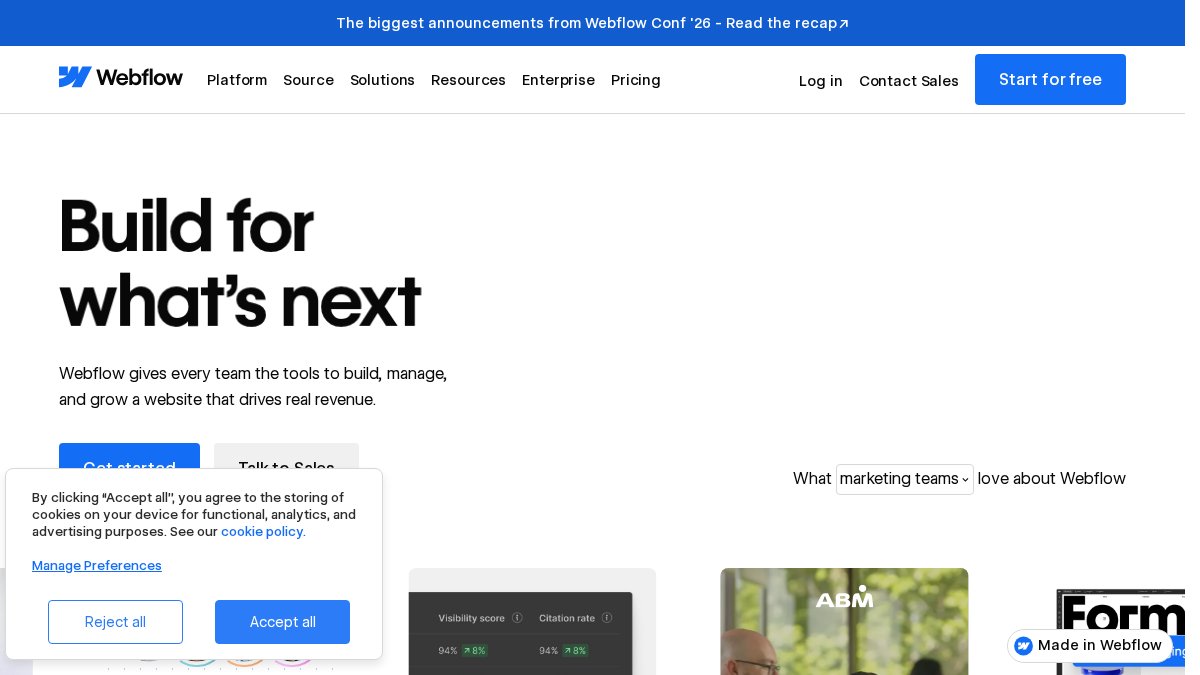
The downside is the learning curve. Absolute beginners may spend weeks understanding responsive breakpoints and CSS concepts. Webflow is best for someone who sees web design as a skill to develop.
Hostinger Website Builder: Best Budget Pick With Hosting
Hostinger bundles domain registration, hosting, and site creation into one package starting at $2.69 per month, a price that is hard to beat since hosting is often a separate, confusing purchase elsewhere (hostinger.com). If you already have a site and need reliable infrastructure, AI Website Hosting from Builderall is another option worth comparing for its performance and support.
The simplified drag-and-drop interface and AI-powered generation tools get a basic site online quickly. For a simple business presence with a contact form and service descriptions, Hostinger handles the job without overwhelming you.
The limitation is depth. Advanced customization is sparse, and it lacks the marketing automation tools you will need as you grow. Treat Hostinger as a starting point, not a long-term home.
SITE123: Best for Absolute Beginners Who Need Speed
SITE123 is built for one purpose: getting a functional website online as fast as possible. The guided setup walks you through every step, and mobile-responsive templates are applied automatically. For a complete novice, this is the most approachable option.
It includes built-in multilingual support, useful for diverse customers. Starting at $12.80 per month with a free tier, it is reasonably priced for the convenience.
The trade-off is design flexibility. You are limited to SITE123’s structure, so your site will look similar to others on the platform. For a temporary or very simple site, that is acceptable; for a brand you plan to scale, the constraints will frustrate.
How to Build a Website Without Coding: 5 Simple Steps
Building a website without coding follows the same core process regardless of platform. The steps are straightforward, but the order matters, and the details determine whether you launch with confidence or spend your first week fixing problems.
Step 1: Register a Domain and Set Up Hosting
Your domain name is your digital address. Most all-in-one builders include a free custom domain for the first year, but you must confirm one critical detail: you own the domain, not the platform. Check that the domain is registered in your name and that you have access to the DNS settings, so you can transfer it without the provider’s approval if you ever leave.
If you buy hosting separately, look for a provider that includes a free SSL certificate and automatic daily backups. SSL is non-negotiable, browsers now warn visitors when a site lacks it, and Google uses it as a ranking signal. Automatic backups are your safety net; without them, a single bad plugin update or accidental deletion can wipe out weeks of work.
Step 2: Choose a Template That Matches Your Goal
Do not pick a template because it looks pretty in the preview. Pick it because its structure matches your business model. A landing page template for lead capture has a different layout logic than a portfolio or a store. Look for these specifics:
- For lead generation: A template with a prominent email capture form above the fold, minimal navigation links, and a single call-to-action button.
- For e-commerce: A template with a product grid, a cart icon that is visible on mobile, and a checkout flow that does not require leaving the site.
- For local services: A template with a click-to-call button, a map embed, and a booking or contact form.
Before you commit, check the template’s mobile preview. Many templates look stunning on desktop but break on a phone. If the template does not have a dedicated mobile toggle in the editor, move on to the next one.
Step 3: Customize Your Pages With a Drag-and-Drop Editor
This is where most beginners make their first mistake: they customize everything. Resist the urge to change fonts, colors, and layouts before you have content in place. Instead, follow this order:
- Replace all placeholder text with your real copy. Write your headline, service descriptions, and about text first. This forces you to clarify your message before you worry about styling.
- Swap in your own images. Use original photos or licensed stock images. Do not rely on the template’s demo images, visitors can tell, and it destroys trust.
- Set your global styles. Change the default font and color palette once at the theme level, not page by page. This keeps your site consistent and saves hours of rework.
- Add a clear call to action on every page. Every page should answer the question: ‘What do I want the visitor to do next?’ If a page has no answer, delete it or merge it with another.
Step 4: Connect Your Marketing Tools and Set Up SEO Basics
A website with no traffic is a digital brochure. Before you publish, connect the tools that will help people find you and convert:
- Analytics: Install Google Analytics or your platform’s native analytics. Set up a dashboard so you can see where visitors come from and what they do.
- Email capture: Add a signup form to your homepage and blog posts. Your email list is the only audience you own, social media algorithms can change overnight.
- Search engine optimization (SEO): At minimum, edit the page title and meta description for every page. These are the headline and summary that appear in Google search results. Use your primary keyword in the title and a natural, descriptive sentence in the meta description.
- Search Console: Submit your sitemap to Google Search Console. This tells Google your site exists and helps you monitor indexing issues.
If your platform has built-in marketing tools, connect them here. This is where an all-in-one platform like Builderall saves hours of configuration, you do not need to manage API keys or sync data between separate accounts. If you would rather have an expert handle the entire build, Agency Studio provides an AI agency partner to manage your site and marketing for you.
Step 5: Preview on Mobile, Test Forms, and Publish
The final step is not ‘hit publish.’ It is a pre-flight checklist:
- Check responsive breakpoints. Open your site on a real phone, not just the browser’s responsive mode. Test the navigation menu, forms, and images.
- Test every form. Submit a test entry through your contact form, email signup, and checkout flow. Confirm you receive the notification and that the data lands where it should.
- Verify your SSL certificate is active. Look for the padlock icon in the browser address bar. If it is missing, your site is not secure.
- Check page speed on mobile. Run your published page through Google’s PageSpeed Insights. If the mobile score is below 50, investigate, large unoptimized images are the most common culprit.
- Set up a backup schedule. If your platform does not back up automatically, export a copy of your content monthly.
Post-Launch Maintenance: What Happens After You Publish
Most guides stop at launch, but the real work begins after you publish. You need a maintenance routine that covers three areas:
- Content freshness: Update your site at least monthly. Google rewards sites that show signs of life. Add blog posts, update your portfolio, or refresh your service descriptions.
- Security monitoring: If your platform handles security patches automatically, you are covered. If you use a self-hosted solution, you must update the core software, plugins, and themes regularly. Outdated software is the leading cause of hacked websites.
- Performance checks: Run a PageSpeed test quarterly. New features, images, or third-party scripts can slow your site over time without you noticing.
A website is not a one-time project; it is an ongoing asset. The platform you choose should either handle maintenance for you or make it simple enough that you actually do it. If a platform makes updates feel like a chore, you will stop maintaining your site, and your search rankings and visitor trust will decline.
Before you commit hours to building, also check your exit path. Can you export your content, images, and blog posts as standard files? Can you download your design or is it locked to the platform? Platforms that offer clean export paths protect your investment if your needs change. Those that do not are holding your digital presence hostage, and that is a cost no free plan can offset.
Frequently Asked Questions
Is it possible to create a website without coding?
Yes, absolutely. A no code website builder lets you create a full website using a visual, drag-and-drop interface instead of writing HTML or CSS. These platforms handle hosting, templates, and mobile responsiveness for you. Industry projections suggest that 70% of new startups will launch on no-code platforms by 2026, which shows how mainstream this approach has become for beginners.
What is the best website builder for beginners?
The best no code website builder for beginners depends on your goal. If you need an all-in-one suite with marketing automation, email, and funnel tools, Builderall is a strong fit. For pure design aesthetics, Squarespace leads. If budget is your main concern, Hostinger offers one of the lowest entry points. For most beginners who want to avoid a learning curve, prioritize the platform with the most intuitive drag-and-drop editor.
Do I need to learn HTML or CSS to use a no-code builder?
No, you do not need to learn HTML or CSS to use a no-code builder. The entire point of these tools is to eliminate the coding requirement so you can focus on content and design. However, some platforms like Webflow offer advanced design controls that require a basic understanding of web design principles. If you want zero technical learning, stick with a beginner-first tool that uses a simple visual editor.
How much does a no-code website platform cost?
The cost of no-code website platforms varies widely depending on the features you need. Some tools offer a free tier, while others start with a monthly subscription. Many platforms charge more for advanced features like e-commerce or custom domain connections. To get accurate pricing, visit each provider’s website directly, as plans and feature sets change frequently and depend on your specific requirements.
Can I add e-commerce features with a no-code website builder?
Yes, most no-code website builders now include e-commerce capabilities. You can typically add a product catalog, a shopping cart, and a secure checkout process without writing code. For example, Builderall integrates e-commerce with its sales funnel tools. Before committing, check if the platform supports your preferred payment gateway and inventory management needs.