
Table of Contents
- Why Course Creators Outgrow Systeme.io
- How We Evaluated These Systeme.io Alternatives
- Comparison Table: Pricing, Course Hosting, and Automation at a Glance
- The Best Platforms for Selling Online Courses in 2026
- Automating Course Sales and Email Marketing on Your New Platform
- Builderall vs Systeme.io for Digital Products
- Migrating Your Course Content from Systeme.io
- Total Cost of Ownership and Student Experience
- Frequently Asked Questions
Last Updated: September 13, 2026
Why Course Creators Outgrow Systeme.io
Most course creators don’t leave an all-in-one platform because it broke. They leave because it stopped fitting.
Systeme.io reports serving over 500,000 entrepreneurs for funnel building, email campaigns, and course hosting, making it a popular starting point (systeme.io). The friction shows up later, when a creator wants deeper marketing automation, more control over the student experience, or a funnel system that scales past the basics. Community discussion points to one pain point: free-tier plans often cap users at only three sales funnels, workable for a launch, restrictive once you’re running multiple offers.
This guide from Builderall breaks down the strongest Systeme.io alternative for course creators, with migration steps and student-experience details most comparison posts skip.
Outgrowing a platform is usually a scaling problem, not a quality problem. Match your next platform to where your business is heading, not where it is today.
How We Evaluated These Systeme.io Alternatives
We scored each platform on five criteria that affect course businesses: course hosting depth, marketing automation, funnel and landing page tools, total cost of ownership, and student experience.
Pricing matters, but headline pricing lies: a platform that costs less per month but charges transaction fees on every sale can cost more by year two. We weighted payment processing terms and feature gating heavily for that reason. For current pricing details, please visit Builderall’s website.
The shortlist came from a mix of practitioner reviews and category analysis. Heyflow’s 2026 comparison of all-in-one course platforms groups these tools into two camps: all-in-one suites and specialized course-only software. That split drives most of the recommendations below.
Comparison Table: Pricing, Course Hosting, and Automation at a Glance
| Platform | Starting Price | Course Hosting | Marketing Automation | Best For |
|---|---|---|---|---|
| Builderall | See site for current pricing | Built-in LMS | Full suite with email and scheduling | Creators who want one platform for funnels, courses, and email |
| Teachable | $39/month | Dedicated, beginner-friendly | Basic | Educators who want simple, reliable hosting |
| Thinkific | $49/month | Highly customizable | Moderate | Creators who want full branding control |
| Teachery | $97/month | Simple and clean | Minimal | Distraction-free course design |
| EzyCourse | Contact for pricing | Community-driven | Moderate | Community-led learning environments |
| Heyflow | $81/month | None (external integration required) | Funnel-focused | High-converting lead generation funnels |
The pattern is clear: specialized platforms win on course polish, all-in-one suites win on the marketing stack around the course. Most creators underestimate how much revenue depends on that second part.
The Best Platforms for Selling Online Courses in 2026
The best platform for selling online courses depends on whether you need course hosting alone or course hosting plus the marketing engine that fills it. Here’s how the leading options compare.

Builderall: All-in-One Suite for Course Creators
Builderall is a no-code marketing and automation suite combining website and landing page building, an integrated course creation LMS, email marketing, and scheduling in one account. For creators who want to stop stitching tools together, it’s our top pick.
The drag-and-drop editor handles page creation without coding, and the built-in course LMS means no separate hosting platform. MailingBoss covers email campaigns, and the integrated booking calendar handles coaching calls and live sessions without a third-party subscription.
Where it falls short: because it does so much, the interface takes a session or two to learn, and creators who only want a single course page may find it’s more platform than they need. For anyone running funnels, email, and courses together, that trade-off flips fast.
Map your current tool stack before you migrate. If you’re paying separately for email, scheduling, page building, and course hosting, an all-in-one suite usually costs less than the sum of those subscriptions.
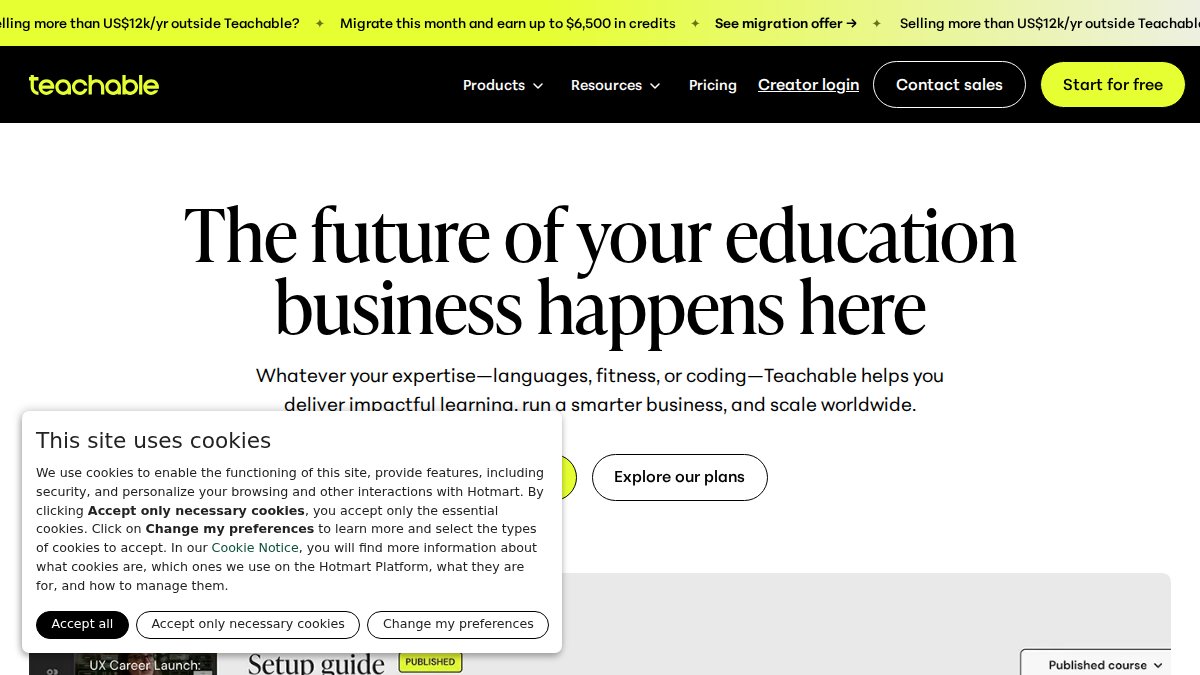
Teachable, Thinkific, and Teachery: Dedicated Course Hosting
Teachable, Thinkific, and Teachery are dedicated course hosting platforms focused on course delivery and student experience rather than the marketing stack around it.
Teachable is a beginner-friendly option with a drag-and-drop curriculum builder and integrated payment processing. Thinkific offers extensive customization, including custom domains, branding control, and an app store for integrations. Teachery appeals to creators selling higher-ticket programs. For current pricing and features, please visit their respective websites.
The honest limitation: all three lack the advanced marketing automation all-in-one platforms provide. You’ll still need separate tools for email sequences, funnel logic, and lead generation, exactly the fragmentation many creators are trying to escape.
Automating Course Sales and Email Marketing on Your New Platform
Automating course sales means connecting email sequences, funnel logic, and checkout into one flow so buyers move from lead to student without manual work. This is where specialized course platforms force you to bolt on extra tools.
A typical automated flow looks like this:
- A landing page captures an email in exchange for a free lesson
- An email sequence delivers the lesson and pitches the full course
- Checkout triggers enrollment and a welcome sequence
- Drip content releases modules on a schedule to keep students engaged
Platforms with native email automation handle all four steps in one place. Marketing automation data from Research.com’s 2026 platform analysis notes that MailerLite, Brevo, and Kajabi are favored by newer users for intuitive interfaces, which tells you how much onboarding friction drives platform choice.
Don’t migrate your email list before you’ve tested your new sequences on a small segment. Broken automations discovered after a full list import can cost you weeks of revenue.
Builderall vs Systeme.io for Digital Products
Builderall and Systeme.io both target creators selling digital products, but they diverge on breadth. Systeme.io is a lean funnel and course tool. Builderall bundles the surrounding marketing stack: page building, email, course LMS, and scheduling under one login.
For digital product sellers, the difference shows up in the checkout and delivery flow. Builderall’s integrated course creation LMS and MailingBoss email tools let a buyer move from landing page to drip-content course without leaving the platform, reducing the third-party integrations you maintain.
The trade-off is real: Systeme.io’s simplicity is part of its appeal, and Builderall asks you to learn a larger toolset. Creators running one simple funnel may not need the extra capability. Creators running multiple offers, coaching sessions, and email campaigns usually do.
Migrating Your Course Content from Systeme.io
Migration is the step most comparison articles skip, and it determines whether your switch actually works. A platform can be perfect on paper and still cost a month of revenue if the move is botched. Here is the sequence that works, and the failure points to plan around.
What Transfers Cleanly and What Does Not
The honest answer: almost nothing transfers automatically between course platforms. Plan for a rebuild, not an import.
- Contacts and tags: Usually exportable as a CSV. Tags often survive; automation logic attached to those tags does not.
- Course videos and files: Downloadable, but you must re-upload them to the new host. Re-uploading is bandwidth-heavy and slow, budget a full day for a video-heavy course.
- Lesson copy and quizzes: Copy-paste at best. Most platforms have no shared import format, so expect to rebuild each lesson manually.
- Email sequences: Rebuild from scratch. Trigger conditions, wait steps, and segmentation rules differ enough between platforms that imported logic fails silently, the worst kind of failure, because you do not find out until a buyer never receives their welcome email.
- Student progress and completion data: Rarely portable. If completion records matter to you, export them to a spreadsheet before you leave.
The Migration Sequence
- Export your contact list and tag structure from your current platform, and save completion records if you track them
- Download all course videos, PDFs, and lesson copy to local storage, do not rely on the old platform staying live
- Rebuild your course curriculum in the new LMS and test it as a student before importing anyone
- Recreate email sequences one at a time, then test each trigger with a test contact
- Reconnect your payment gateway and run a live test transaction end to end
- Import contacts in a small batch first, confirm tags landed correctly, then import the rest
- Point your custom domain to the new platform only after the full flow passes
- Keep the old platform active for one billing cycle as a fallback
Do not migrate your email list before you have tested your new sequences on a small segment. Broken automations discovered after a full list import can cost you weeks of revenue, and some platforms will not let you re-import the same contacts cleanly.
The Step Nobody Warns You About
Email automations rarely transfer cleanly between platforms. Rebuild them from scratch rather than importing logic, because trigger conditions differ enough that silent failures are common. The same applies to checkout flows: a payment gateway that worked on the old platform may need re-authorization, new webhook endpoints, or a fresh API key. Test a live transaction with a real card before announcing the move.
Timing the Cutover
Do not migrate during a launch. Run the migration in a quiet week, keep both platforms live for one billing cycle, and cancel the old subscription only after confirming a full month of sales, emails, and student logins on the new platform. One extra billing cycle is cheap insurance against a broken funnel during your highest-revenue week.
Total Cost of Ownership and Student Experience
Total cost of ownership is the number that matters, and it is almost never the subscription price on the pricing page. Your real monthly cost is the subscription plus everything the platform forces you to buy around it.
The Four Cost Layers Competitors Skip
1. Transaction fees. This is the most under-priced line item in course platform math. Several dedicated course hosts charge no transaction fee on the entry plan but take a percentage of every sale on lower tiers, then remove it once you upgrade. A creator doing $5,000/month in course sales on a percentage-based plan hands over real money every month, often more than the upgrade would cost. Calculate your fee at current monthly revenue, not launch-month revenue.
2. Feature-gated add-ons. Course hosting is rarely the whole product. Affiliate management, custom domains, coupon codes, drip content, quizzes, certificates, and advanced reporting are often locked behind higher tiers or sold separately. List every feature you use today, then check which tier actually includes it, the gap between the advertised starting price and the tier you need is the real comparison.
3. Email and marketing tools. If your new platform lacks native email automation, you’re adding a separate subscription. Email platforms price by contact count, so this cost grows with your list, the opposite of what you want as you scale. An all-in-one suite that bundles email usually wins on total cost once your list passes a few thousand contacts, even with a higher headline price.
4. Storage and bandwidth. Video is the hidden cost of every course business. Platforms cap upload storage, monthly bandwidth, or both, and overage charges or forced upgrades follow. A course with 40 video lessons at 1080p consumes serious storage fast. Check the cap on the tier you’re actually buying, not the enterprise tier in the marketing screenshots.
Build a simple TCO sheet before you migrate: subscription + transaction fees at your current revenue + every add-on you need + email platform + storage overage. Compare that total, not the pricing-page number. Most creators find the cheapest-looking platform is not the cheapest one.
The Student Experience Is a Revenue Metric
Most platform reviews analyze the creator’s backend. Almost none analyze what the student sees, a mistake, since student experience drives completion rates, and completion rates drive refunds, testimonials, and repeat purchases.
Three student-facing factors separate platforms in practice:
- Checkout-to-first-lesson friction. How many steps, accounts, and screens stand between paying and watching lesson one? Every extra step loses students. Platforms that auto-create the student account at checkout and drop them straight into a welcome lesson retain better than platforms that email a separate login link.
- Mobile lesson delivery. A large share of course consumption happens on phones. Test the student view on a phone before you commit. Video players that do not resize, PDFs that do not scroll, and progress bars that do not save are completion killers.
- Progress and drip mechanics. Native drip content, progress tracking, and completion certificates keep students moving. If those require a third-party tool, students hit a second login and drop off.
Platform Stability and Support
A platform outage during launch week costs sales you cannot recover, and slow support during a migration costs you days. Before committing, check the platform’s public status page and uptime history, read recent support reviews rather than years-old ones, and confirm whether support is email-only or includes live chat. For a course business, support responsiveness in your first 30 days matters more than any feature on the comparison table.
Frequently Asked Questions
What are the best all-in-one platforms for selling online courses?
The best all-in-one platforms combine course hosting, sales funnels, and email automation in one subscription. Builderall stands out for its no-code drag-and-drop builder, integrated LMS, and email marketing tools, which let you launch a course without stitching together separate apps. Dedicated platforms like Teachable and Thinkific focus on course delivery but often require extra tools for funnels and email. Choose an all-in-one if you want fewer subscriptions and a single dashboard for marketing and delivery.
Does Builderall offer better course creation features than Systeme.io?
Builderall includes an integrated course creation LMS with drag-and-drop lesson building, plus a full marketing suite for funnels, email, and scheduling. Systeme.io also supports course hosting but caps free users at three sales funnels, which can limit scaling. Builderall’s broader toolset makes it a strong Systeme.io alternative for course creators who want to grow beyond a basic funnel setup. Test both with your actual course structure before committing.
How do I migrate my course content from Systeme.io to another platform?
Start by exporting your student list and course assets from Systeme.io. Most platforms accept CSV imports for contacts, and you can re-upload video and PDF lessons directly. Rebuild funnels using templates, then reconnect your payment gateway and email sequences. Expect a few hours of setup for a small course and longer for complex drip content. Always run a test purchase and student login before announcing the switch to your audience.
Is it better to use a dedicated LMS or an all-in-one marketing suite?
A dedicated LMS like Thinkific excels at course delivery and student experience but usually lacks advanced funnels and email automation. An all-in-one suite like Builderall covers course hosting, landing pages, email marketing, and scheduling in one place, which reduces tool sprawl and monthly costs. If your main challenge is marketing and selling courses, an all-in-one wins. If you only need to host content and already have marketing tools, a dedicated LMS may be enough.
Which platforms offer the best automation for digital product sales?
Builderall offers strong automation for digital product sales, combining email sequences, funnel templates, and scheduling in one dashboard, so you can automate welcome emails, upsells, and webinar reminders. Look for built-in email automation, checkout integration, and drip content support when comparing options for your course business.
Switching platforms mid-growth is a real risk, and the wrong choice costs you momentum you can’t easily rebuild. Builderall gives course creators one place to build landing pages without code, host courses with an integrated LMS, and run email sequences through MailingBoss, all with the scheduling tools to handle coaching and live sessions. Get started with Builderall and consolidate your funnel, course, and email stack into a single platform.