
Table of Contents
- Best Online Course Platforms at a Glance
- Best Online Course Platforms Reviewed
- Online Course Platform Pricing: What You Actually Pay
- Course Platform Features That Decide Your Choice
- How to Sell Online Courses Without a Website
- Online Course Marketing Tools Built Into Platforms
- Conclusion
- Frequently Asked Questions
Last Updated: October 6, 2026
Best Online Course Platforms at a Glance
Online course platforms are software systems that let creators host, market, and sell digital courses without building their own website infrastructure. The stakes keep rising: National University’s analysis of NCES IPEDS enrollment data shows 54.3% of U.S. college students took at least one online course in fall 2023, up from 37.2% in fall 2019. That mainstreaming of online learning has pushed the online course platforms market into a genuine growth phase, and the Business of Apps online courses app market report puts online course app revenue at $2.16 billion in 2025 alone.
Here is the short version before the details. Builderall bundles course creation, email marketing, and page building into one no-code suite. LearnWorlds suits creators who want drip content and AI features. Thinkific offers a free entry point, and Teachable keeps course sales simple.
| Platform | Starting Price | Standout Feature | Best For |
|---|---|---|---|
| Builderall | Varies by plan | All-in-one marketing suite with built-in LMS | Creators who want courses plus marketing in one place |
| LearnWorlds | $24/month plus $5 per course sale | Drip content and AI features | Structured, drip-based course delivery |
| Thinkific | Free | Free course building with 0% fees | New creators testing an idea |
| Teachable | Not published | Straightforward course sales | Simple selling workflows |
Best Online Course Platforms Reviewed
Every platform below solves a different problem. Picking wrong usually means paying for features you never touch, or outgrowing your plan in six months.

Builderall: All-in-One Marketing and Course Creation
Builderall is a no-code marketing and automation suite with an integrated course creation LMS alongside website building, email marketing, and scheduling, replacing four or five subscriptions.
The drag-and-drop page builder publishes course landing pages without code, MailingBoss handles email campaigns and follow-up sequences from the same dashboard, and the appointments calendar covers live or cohort sessions. For teams selling through paid ads, the funnel tools matter as much as the course builder.
Solo entrepreneurs and small teams who want course hosting, email marketing, and page building under one login instead of paying for three separate tools.
LearnWorlds: Drip Content and AI Features
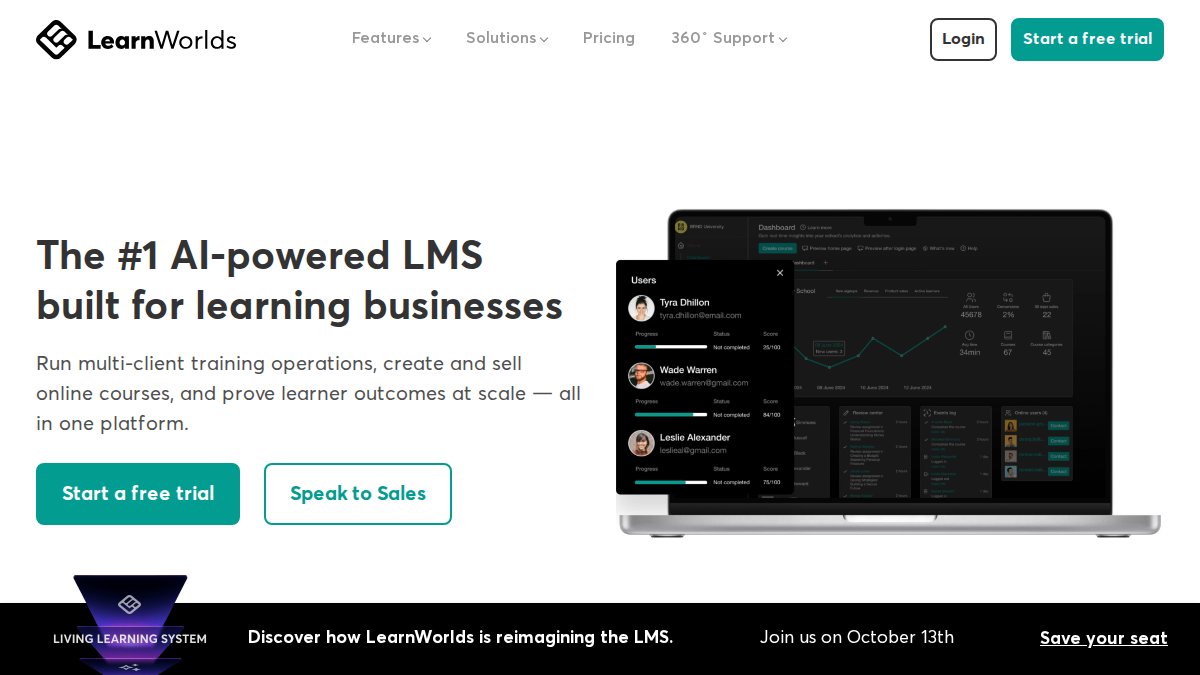
LearnWorlds is an online course and learning management platform built around structured delivery. Its Starter plan supports unlimited paid courses and includes drip content, which releases lessons on a schedule, key for cohort-based courses and any program where sequencing drives completion.
The trade-off sits in the pricing model.
Thinkific: Free Entry Point for New Creators
Thinkific is an online course platform that lets users build a functioning course for free, with the free option taking 0% in fees, removing a potential barrier for creators validating a first course idea.
Teachable: Simple Course Sales
Teachable is a course creation and sales platform, offering a clean path from course upload to checkout.
Online Course Platform Pricing: What You Actually Pay
The sticker price is rarely the real cost. A platform that looks cheap can cost more than a premium one once you add per-sale fees, payment processing, learner limits, and the add-ons you actually need.
The four cost layers
Every platform charges through some combination of these layers. Miss one and your estimate is wrong.
- Subscription, flat monthly or annual fee, often discounted 15-20% when paid annually.
- Transaction or per-sale fees, a percentage of each sale or a flat fee per course sold, on top of the subscription.
- Payment processing, typically a card-processing rate (commonly around 2.9% plus a small fixed fee per transaction) charged by the processor, separate from the platform’s own cut.
- Add-ons and limits, extra seats, higher video storage, custom domains, advanced analytics, email-sending tiers, and caps on active learners or courses.
Normalizing the math
To compare fairly, model three volumes, 25, 100, and 500 sales a month, at an average course price you actually expect to charge.
- Flat-rate platform: cost = subscription + payment processing. Predictable, and cheaper per sale as volume rises.
- Subscription plus per-sale fee: cost = subscription + (per-sale fee × units) + payment processing. This scales against you, a $5 per-sale fee on 100 sales is $500 a month before subscription and processing.
- Free tier with caps: cost = $0 + payment processing, but feature or learner ceilings force an upgrade, so model the paid tier you will realistically need within six months.
Comparing only the monthly fee is the most common mistake we see. A platform at $24 per month with a $5 per-sale fee costs far more at scale than a flat-rate plan. Run your own numbers at your expected monthly sales volume before you commit.
What the draft’s four platforms actually signal
- Builderall: pricing varies by plan and promotions, so pull the current rate from the site. The real cost question is how much you save by not paying separately for email marketing, landing pages, and scheduling.
- LearnWorlds: the Starter plan is $24 per month plus a $5 fee on every course sale, $500 in per-sale fees alone at 100 sales a month, before subscription and processing.
- Thinkific: the free tier takes 0% in fees, useful for validating a first course. Paid-plan pricing and free-tier caps are not well documented publicly, so confirm current terms directly.
The costs nobody lists
Subscription and fees are only part of the bill. Budget for these too:
- Migration and setup time, moving a catalog, rebuilding landing pages, and reconnecting email and payment tools can take days to weeks of unbilled work.
- Email sending, built-in email is often capped by tier; heavy list growth pushes you into a higher plan or a separate service.
- Video hosting and bandwidth, large catalogs with high watch time can trigger storage or bandwidth upgrades.
Build a one-page cost model before you trial anything: subscription + per-sale fees + payment processing + the add-ons you will realistically need, run at 25, 100, and 500 monthly sales. The platform that wins on the pricing page is often not the one that wins at your actual volume.
Course Platform Features That Decide Your Choice
Course platform features fall into four groups: creation tools, learner experience, marketing, and reporting. The one you underweight usually forces a migration later, so ask which features matter for your business model, and which risks you can live with for years.
The four feature groups
- Course creation: drag-and-drop builders, video hosting, quizzes, and drip scheduling
- Learner experience: self-paced and cohort-based options, mobile learning, certificates, and progress tracking
- Marketing: landing pages, email automation, payment processing, and subscriptions or memberships
Match the platform to your business model
Treating every platform as interchangeable is the fastest way to buy the wrong one. Pick by how you actually sell:
- Self-paced courses: prioritize video hosting, drip scheduling, and checkout simplicity. Thinkific and Teachable lean here.
- Cohort-based learning: prioritize scheduling, live-session tools, and discussion features. LearnWorlds’ drip content and structured delivery fit this model.
- Memberships and subscriptions: prioritize recurring billing, gated content, and community tools, often add-ons rather than defaults.
Builderall covers creation and marketing from one dashboard, which is why it fits creators who do not want a separate email tool. LearnWorlds offers drip content and AI features.
Accessibility and inclusive learning
Most comparisons go quiet here, yet it is a real risk if you sell to schools, employers, or any audience with accessibility requirements. Ask about:
- Captions and transcripts, are they automatic, editable, and included, or a paid add-on?
- Keyboard navigation, can a learner complete a lesson and checkout without a mouse?
- Screen-reader support, are course pages and quizzes labeled for assistive tech?
If a vendor cannot answer these questions, assume the answer is no and plan to remediate content yourself.
Data ownership, privacy, and portability
Your learner list is the most valuable asset you build, and the easiest to lose. Before you commit, confirm:
- Export options, can you export learner records, progress data, and course content in a usable format, or only view them in the dashboard?
- Data control, who owns the learner relationship, and can you email your list outside the platform?
- Privacy practices, how is learner data stored, and what happens to it if you leave?
Run a five-minute portability test during your trial: export your learner list and one course, then try to re-import them somewhere else. If the export is locked, incomplete, or unusable, you have found your long-term platform risk before you have paid for a year of it.
Migration and implementation effort
Setup time is a cost even when it is not a line item. Simple, self-paced platforms can be live in a day, while those with drip logic, memberships, and corporate admin features take a week or more. Factor in content migration, email and payment reconnection, and onboarding support, and check whether onboarding is included or sold separately.
Choose features by business model first, then stress-test the platform on accessibility, data portability, and migration effort. Those three checks are what separate a platform you keep for years from one you outgrow in six months.
How to Sell Online Courses Without a Website
You can sell online courses without a website by using a platform that hosts your course pages, checkout, and marketing tools together. The platform becomes your storefront, so you never touch hosting, SSL certificates, or a CMS.
The workflow looks like this:
- Upload your video lessons and structure them into modules
- Set your price and connect a payment processor
- Build a landing page inside the platform using drag-and-drop tools
- Connect an email sequence to follow up with new subscribers
- Drive traffic from social, ads, or an existing list
This is where an all-in-one suite earns its keep: Builderall’s integrated email marketing and scheduling tools keep the follow-up sequence and course delivery in the same account, with no separate email service or Zapier connection.
Online Course Marketing Tools Built Into Platforms
Built-in online course marketing tools determine how much extra software you need to buy. The strongest platforms handle email, landing pages, and payment processing natively.
Email remains the highest-use channel for course creators. A study on online learning program effectiveness by H. Xu examined how online learning programs can be managed more effectively in higher education, and the operational lesson transfers directly to creator businesses: structured follow-up and program management drive completion.
Here is how the marketing tooling stacks up:
- Builderall: MailingBoss email marketing, drag-and-drop landing pages, booking calendar, and funnel tools included
- LearnWorlds: course-focused marketing with AI assistance, but email typically requires an outside tool
- Thinkific: basic marketing features with integrations for email platforms
Set up your email follow-up before you launch, not after. A three-email sequence that triggers on signup (welcome, value, offer) consistently outperforms a single launch announcement, and platforms with built-in email let you build it in the same session you upload your lessons.
Conclusion
The hard part of choosing among online course platforms is not finding features, it is predicting which ones you will actually use in month six, when you need marketing, delivery, and follow-up running without a stack of disconnected subscriptions.
That is the case for an all-in-one approach. Builderall combines a drag-and-drop page builder, an integrated course creation LMS, MailingBoss email marketing, and a scheduling calendar in one no-code suite, so your course, landing pages, and follow-up emails live in the same place.
Frequently Asked Questions
What is the best platform for creating and selling online courses?
The best platform depends on your needs. Builderall suits creators who want course hosting plus marketing, email, and funnel tools in one place. LearnWorlds fits those who need drip content and AI features. Thinkific offers a free starting point, and Teachable works for straightforward course sales. Compare course platform features against your business model before deciding.
How much does an online course platform cost?
Pricing varies widely. LearnWorlds starts at $24 per month plus $5 per course sale on its Starter plan. Thinkific offers a free option that the cited comparison says takes 0% in fees, though paid-plan pricing is not specified in the supplied results. Builderall’s pricing depends on your selected plan, so check its website for current rates. Factor in transaction fees when comparing total cost.
Can I sell online courses without a website?
Yes. Several online course platforms let you host and sell courses without building a separate website. You create a course page on the platform, connect payment processing, and share the link. Some platforms include landing page builders and email marketing tools so you can promote courses from the same dashboard. This approach works well for creators who want to launch quickly without managing web hosting.
Which online course platforms include email marketing and automation?
Builderall includes built-in email marketing and scheduling tools alongside its course creation LMS, so you can send follow-up sequences and automate student communication without a separate service. Other platforms may require you to connect third-party email tools through integrations. If email automation is central to your course sales strategy, check whether the platform includes it natively or charges extra for it.